CRC
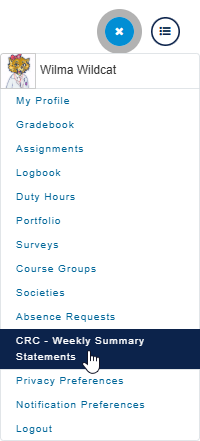
To view your Weekly Summary Statements, click on the User Profile icon in the top right of MedLearn and select CRC - Weekly Summary Statements. You can also select Clinical Reasoning from the Upcoming Deadlines section on the MyAgenda tab if available.

To upload, select the icon on the respective assignment date.
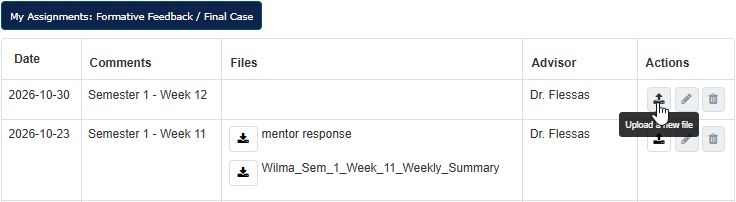
When your CRC Facilitator uploads a file in response, a notification will appear in your dashboard, and be emailed to you.
